Tap to Give
Approve Amount - Choose Giving Method - Double Click - Done
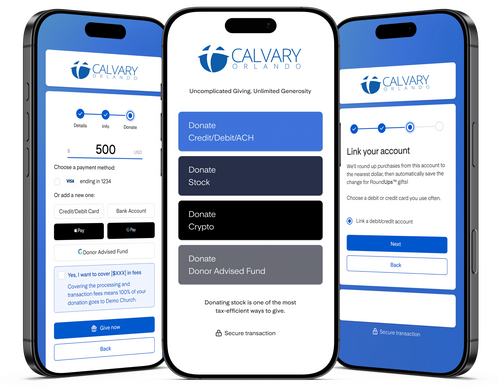
In our commitment to effectively steward God’s resources, Calvary Orlando has moved into modern giving with Tap to Give. This change will reduce processing fees, increase your giving options, and create a frictionless donation experience. Tap to Give offers one of the most diverse ways to give in any church giving software, accepting credit, debit, ACH, stock, crypto, Apple Pay, Google Pay, DAFs, and ExpressGive™.
Tap to Give is an easy and secure way to give online. You can give anonymously or login to your personal account and keep track of your giving progress. In addition, you can set up recurring monthly payments to make giving even easier! Set up scheduled gifts, make giving pledges, and securely save your financial information.
Tap to Give is an easy and secure way to give online. You can give anonymously or login to your personal account and keep track of your giving progress. In addition, you can set up recurring monthly payments to make giving even easier! Set up scheduled gifts, make giving pledges, and securely save your financial information.
Having trouble setting up Tap to Give on your device?
For iPhone (iOS):
For iPhone (iOS):
- For iPhone XS and newer, bring the top of the phone close to Tap device, and a notification should appear.
- For iPhone 7 to iPhone X, enable NFC Tag Reader in the Control Center, unlock phone, and hold it close to the Tap device.
- Open Settings and select Connected devices or Connection preferences. Look for NFC and ensure it’s turned on.
- Hold back the phone close to the Tap device until a notification appears. If it doesn’t scan immediately, move the phone slightly.